For visitors
How to register as a visitor
Registering takes just a few steps and about 10–15 minutes to complete.
Before you start, make sure you have these ready
- An active email address to receive your e-ticket
- A phone number where we can reach you
- A payment method (bank transfer, e-wallet, or payment card)
- An invitation code (if you have one)
About 10–15 minutes
The steps
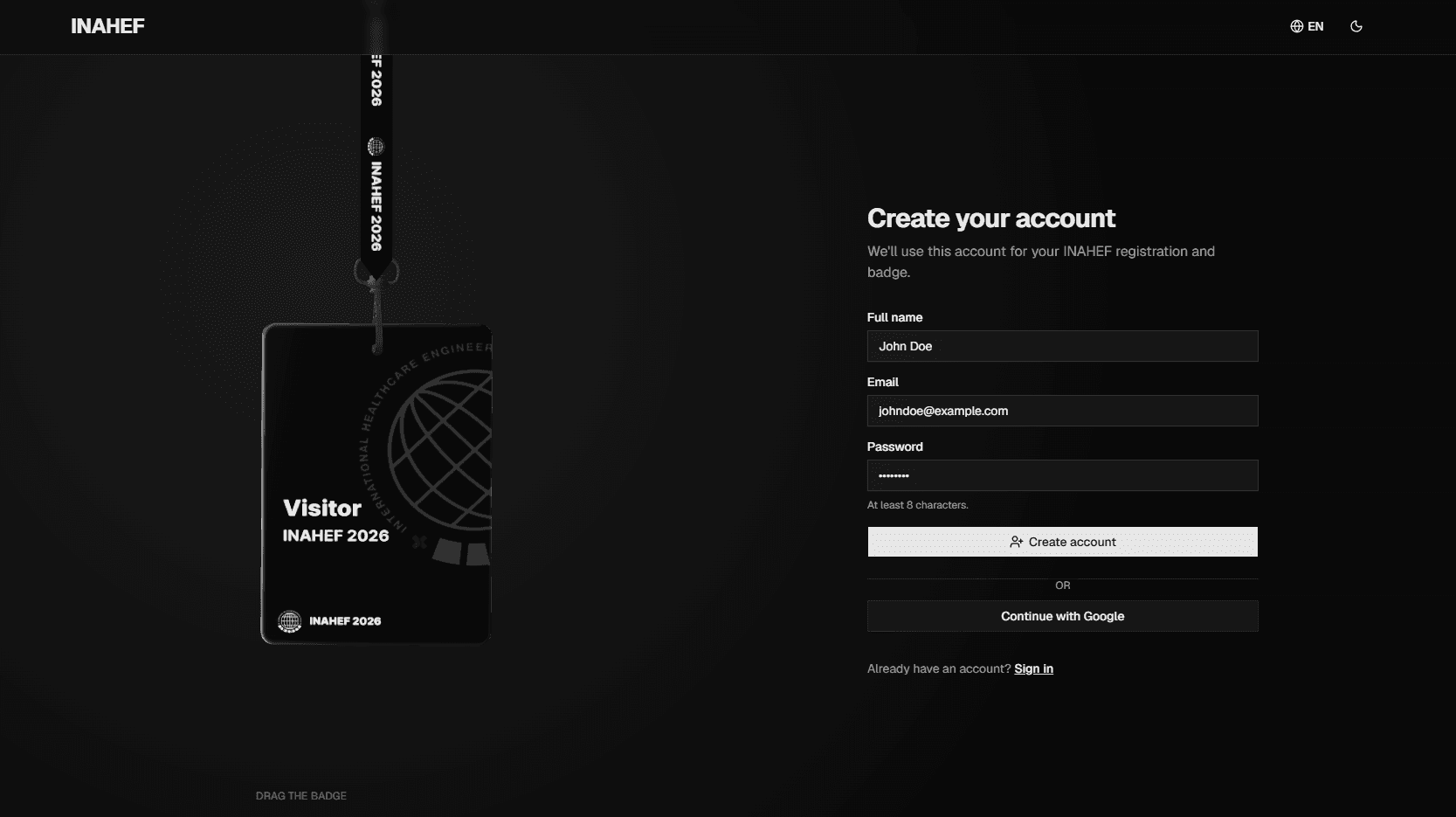
Create your account
Open the registration page and create an account with your email address, or sign in with your Google account.
Attended INAHEF before? Just sign in with your existing account.
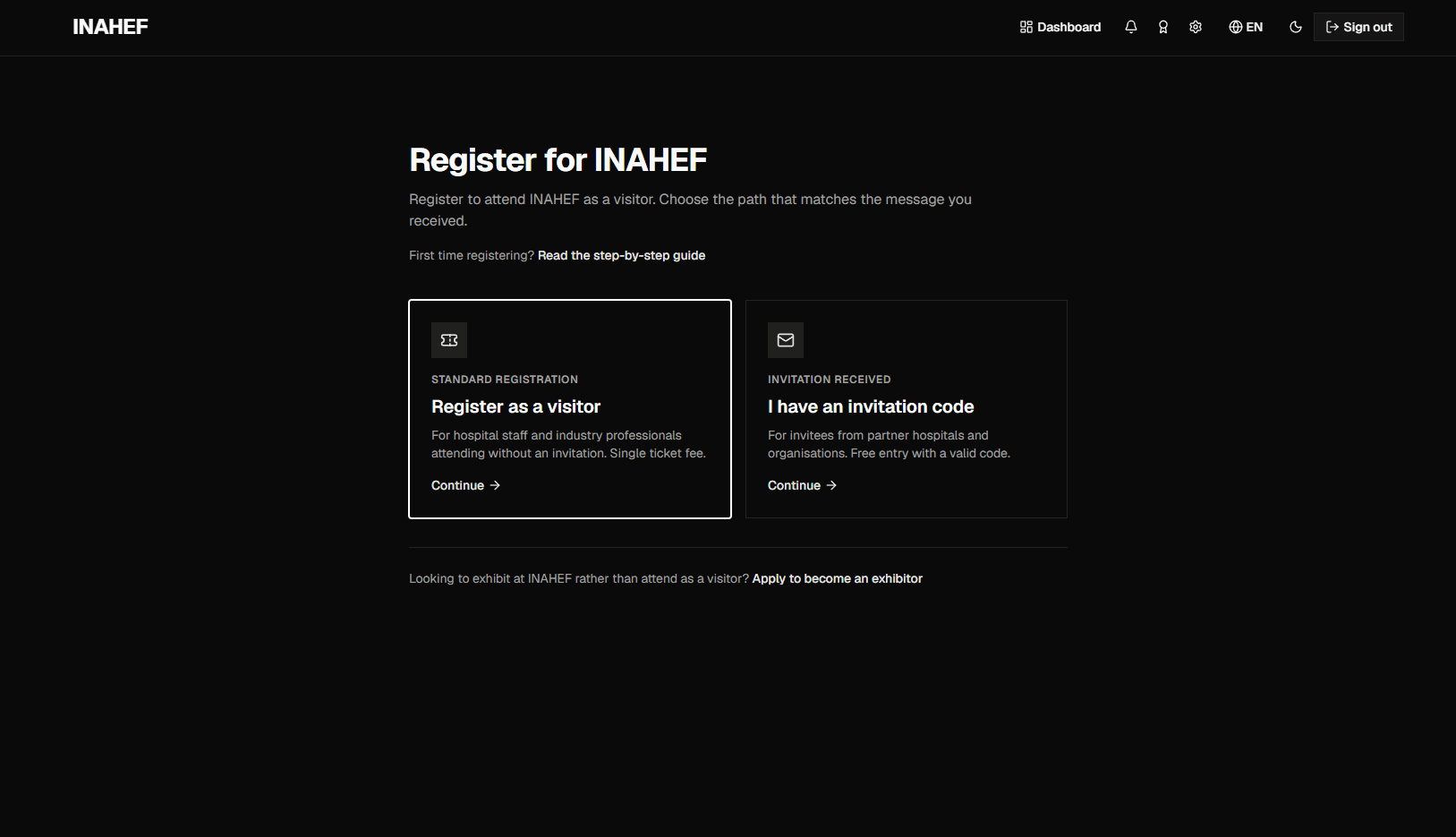
Choose visitor registration
After signing in, select 'Register as a visitor'.
Have an invitation code? Enter it to unlock access under the terms that apply.
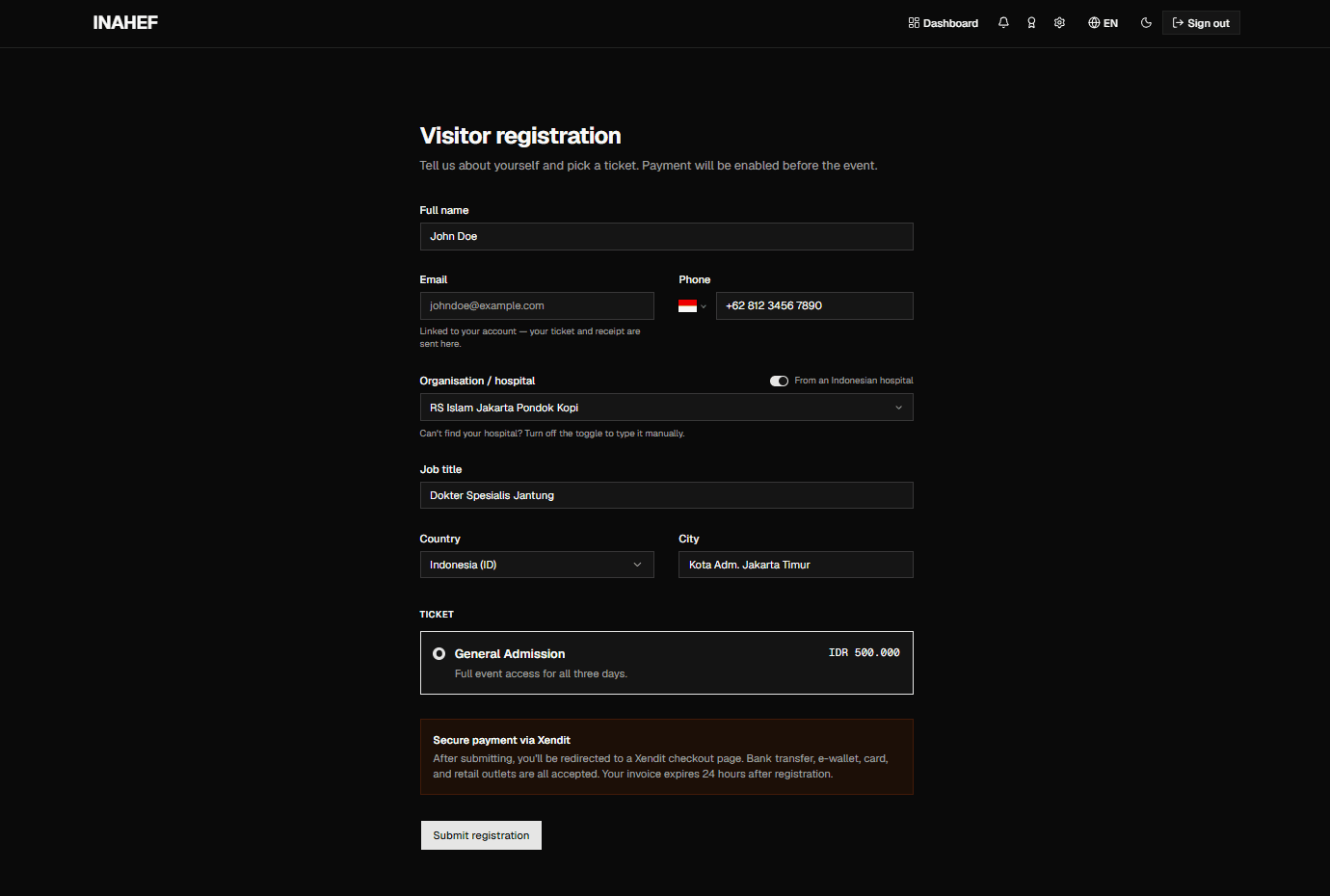
Complete your details
Fill in the required information: full name, phone number, organisation or hospital, job title, and city. Then choose the ticket category that suits you.
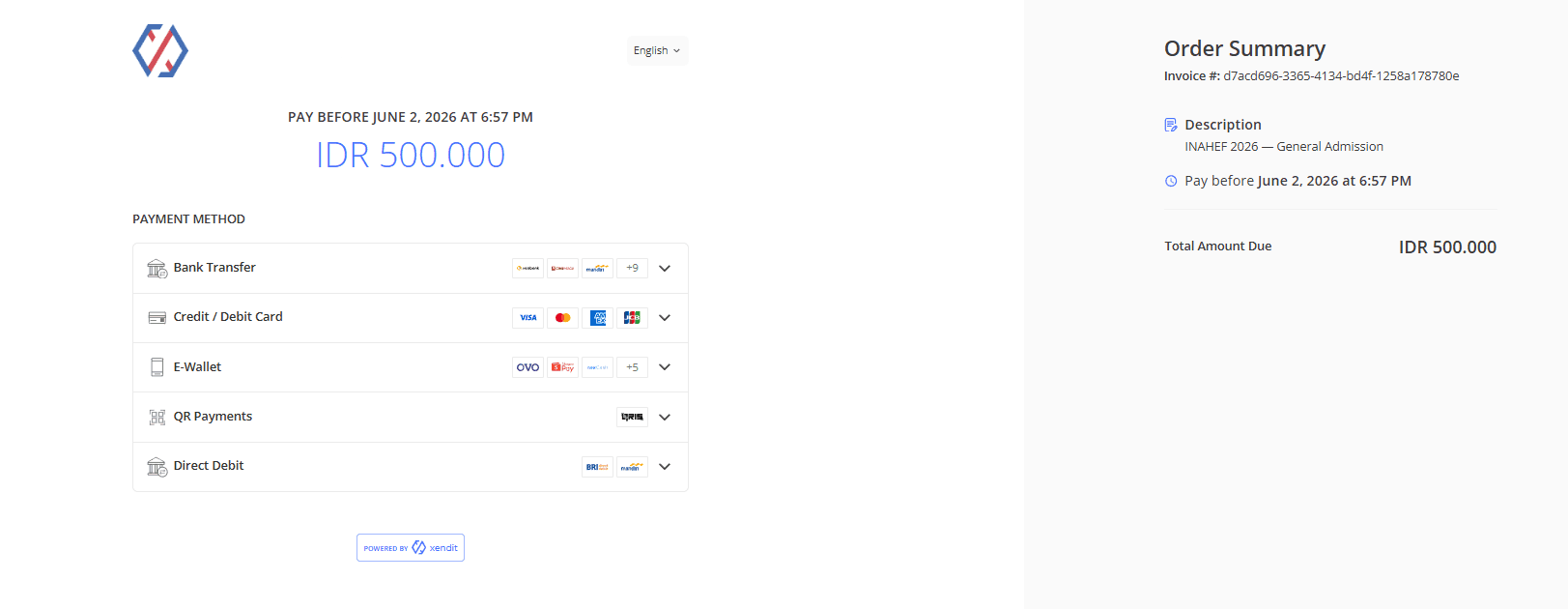
Complete payment
Pay using any of the available methods.
Using an invitation code that grants free access? You can continue straight to the next step with nothing to pay.
Receive your e-ticket
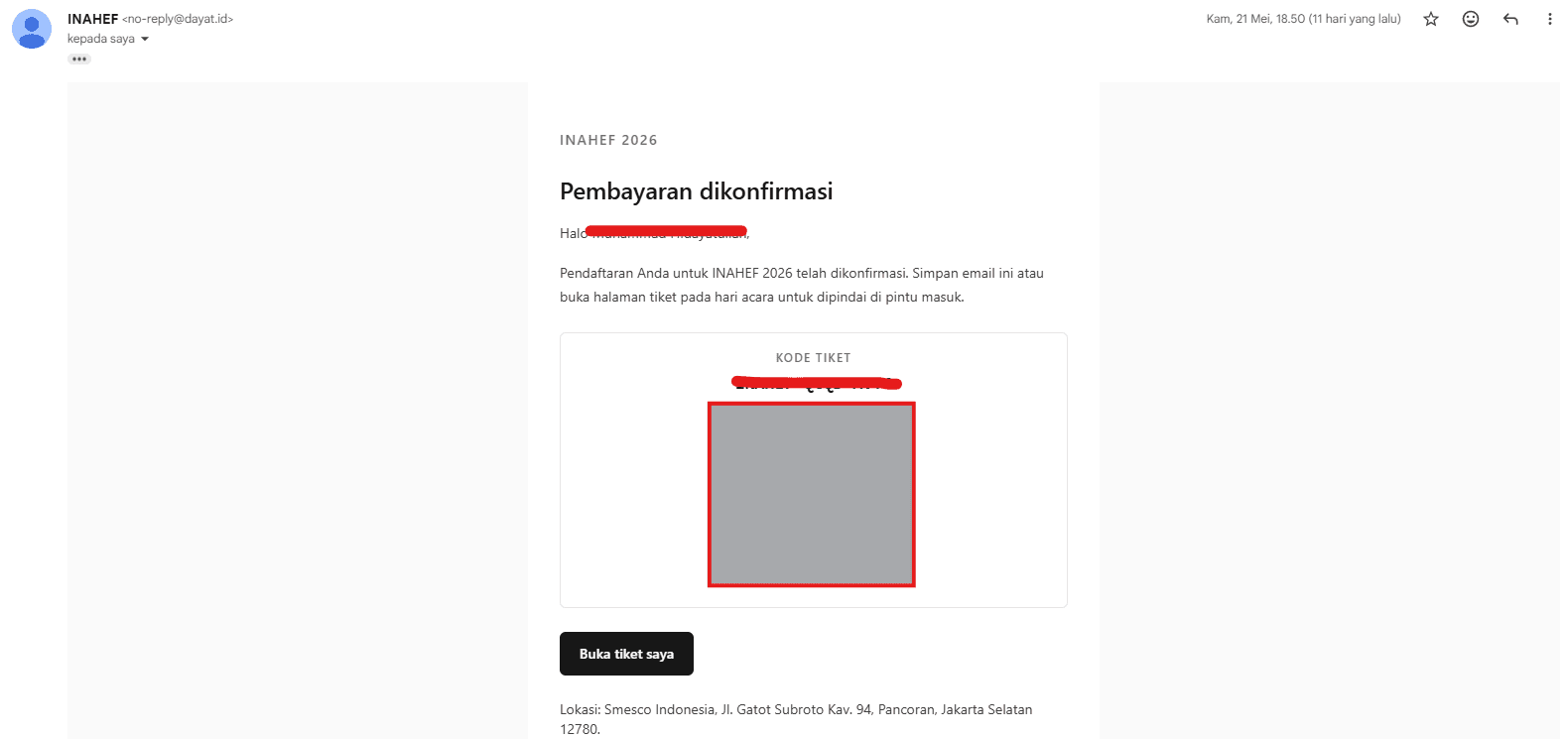
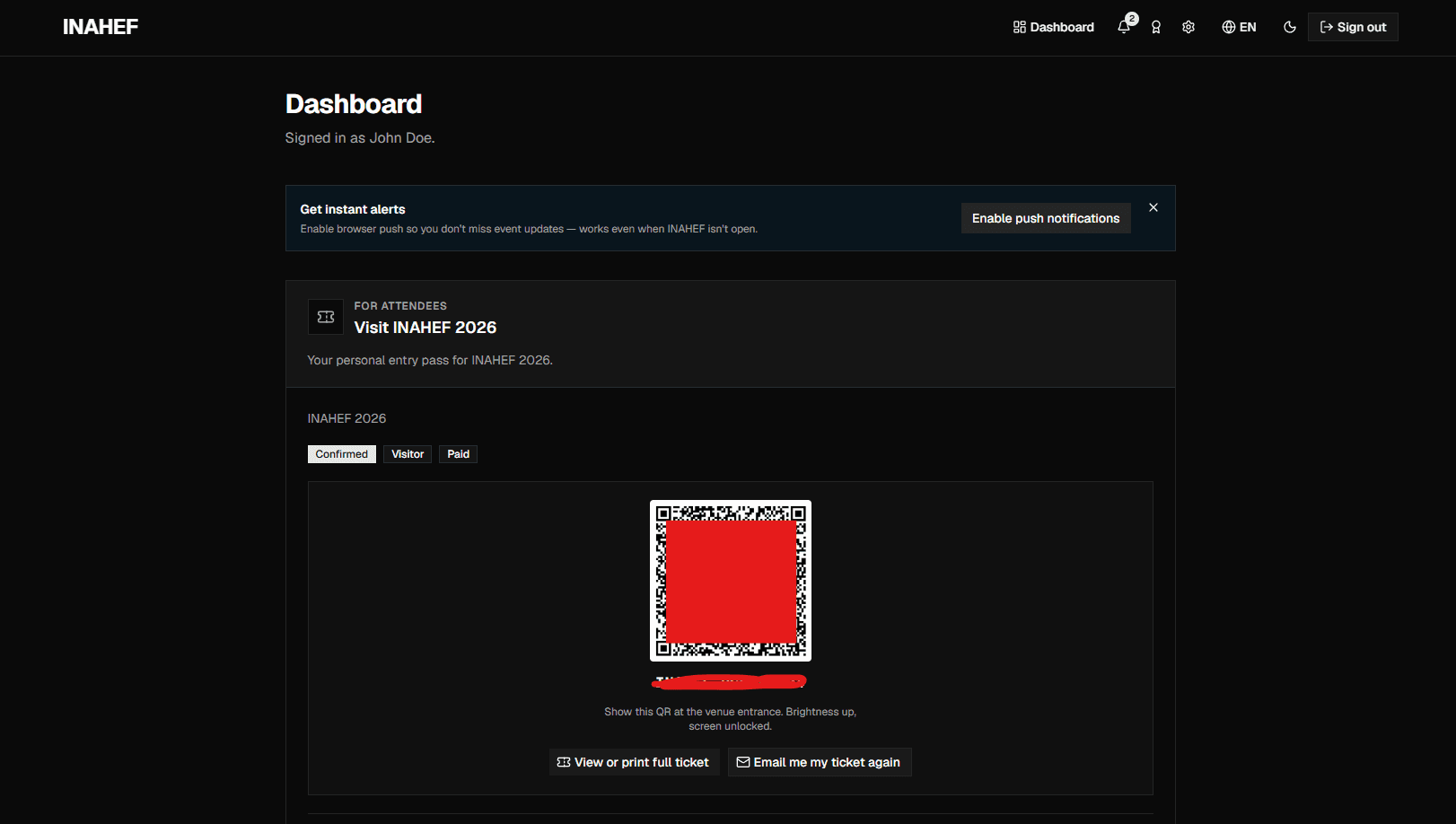
Once your registration and payment are confirmed, your e-ticket with a QR code is sent to your email address. You can also access your ticket anytime from your INAHEF account dashboard.
Attend the event
On the event day, show the QR code from your email or dashboard to the registration staff to gain entry to the event area. There's no need to print your ticket.
You don't have to do this alone
A family member or colleague can register on your behalf using your details. On the event day, our staff at the entrance are happy to help if you get stuck.
Ready to begin?
Need help?
If you experience any difficulties during the registration process, please contact the INAHEF team through the following contact: